A feed tells agents what you sell. Your site tells them if it’s true.
The question comes up on almost every call with a brand or retailer: we already send a product feed to Google and ChatGPT, so aren’t we covered?
Half covered. A feed tells an agent what you sell. It doesn’t control what the agent finds when it checks, and it doesn’t open the door if your firewall shuts the agent out. Three things sit between a clean feed and a sale: the page the agent verifies against, the shopper’s click through to your site, and the access rules in front of both.
Feeds matter, and if you can get onboarded, do. This piece is about what happens after.
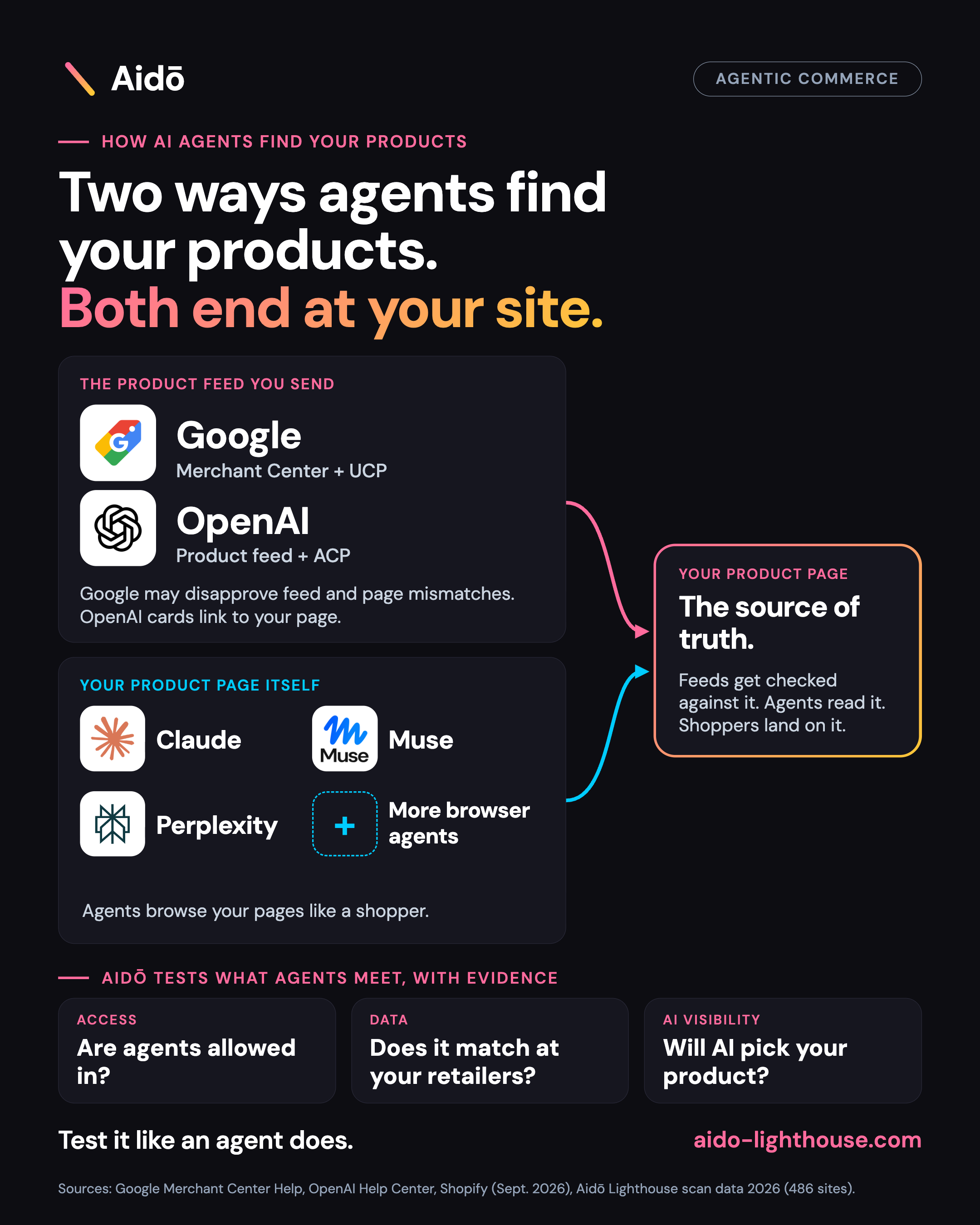
Two ways agents find your products
Products reach an agent two ways, and a shopper’s agent can use either.
A feed you send. OpenAI accepts direct product feeds from merchants who apply and are approved. Google Merchant Center works the same way for Google’s shopping listings. On Shopify, product data can flow into ChatGPT through Shopify Catalog, subject to availability and eligibility.
Your site itself. Browser agents such as Claude in Chrome, Meta’s Muse and Perplexity’s Comet browse retail sites the way a shopper does. They meet your product pages, and the shopper’s own click lands there too.
Google’s Merchant Center feed handles product discovery. Its UCP (Universal Commerce Protocol), an open standard for buying inside AI Mode and Gemini, handles the purchase. An ACP (Agentic Commerce Protocol) integration with OpenAI starts with a structured product feed. Neither standard replaces the check on your page.
A feed covers the first route, on the platforms you send it to. The second works whether or not you send a feed.
The page is the check.
Google doesn’t take your feed on faith. Its Merchant Center guidance says Google crawls landing pages and checks that submitted product data matches what’s shown. Structured data can help it verify price and availability. When information differs, products may be disapproved.
Availability follows the same rule. If the feed says in stock and the page or checkout says sold out, Google’s product crawl guidance explains that products can be disapproved when pages can’t be accessed or verified. Variants count too: availability for each variant in the feed should match the page.
Read that the way an agent would. The feed is a claim. The page is where the claim gets verified, and a mismatch can cost you the listing. Fix the data and the product can be reviewed after Google recrawls it, but only if you know the mismatch exists.
Shoppers still land on your site
OpenAI’s help page describes in-chat checkout as an option for some eligible products and merchants. Other products send the shopper to the merchant’s site.
In late September, Shopify opened checkout to browser-based agents on eligible stores. Those agents can read, update and submit a checkout, with the buyer’s confirmation. They do it on your storefront, not from a feed. Shopify’s checkout documentation describes how this works.
Claude shows up on both sides of the shelf. Claude in Chrome, Anthropic’s browser extension, can open retailer sites and read product pages for a shopper, and asks before taking actions. Separately, Anthropic’s commerce agent blueprint gives retailers a template for building Claude-powered shopping agents that search their own catalog. Either way, the agent works with whatever your page and catalog data say.
So your product page does two jobs. It’s what your feed gets checked against, and it’s where the purchase finishes. A mismatch or a block there hurts both.
A feed doesn’t open the door
Bot protection is built to stop automated visitors, and a legitimate shopping agent can look like one. In our 2026 scans of 486 e-commerce sites, 125 (25.7%) blocked or challenged AI shopping agents. hCaptcha was the most common identifiable blocker, and Cloudflare blocking doubled month on month.
None of that shows up in a feed. Your feed can be perfect while an agent that reaches your page meets a challenge screen and leaves. Our WAF paradox piece explains why the retailers with the best product data often run the toughest blocking.
Brands: you don’t control the other half
If you sell through retailers, your feed describes your own listing. It says nothing about how your product reads on someone else’s shelf, and most of your sales happen there.
The same product can be easy for an agent to find and identify at one retailer and unreadable at the next. In one scan of a hero product from a global beauty brand, only 2 of 10 retailers carried a product identifier an agent could match on. Across the brand’s range, several retailers blocked agents outright. You can’t see any of that from your own feed or your own site.
That’s why we check product by product, at every retailer that stocks you, and not just on your own store.
What to check this week
- Compare feed and page. Pick 20 products, including your bestsellers and anything on promotion. Check price, availability and each variant against the live product page.
- Read your Merchant Center diagnostics. Price and availability mismatches show up there as item issues. Treat them as a signal for the whole catalog.
- Check who your firewall lets in. Decide which agents you want, then test whether your bot rules match that intent.
- Look at your top retailers. Open your hero products on the retailers that matter most. Can an agent reach the page, and does it identify your exact product?
Or skip the manual work. Aidō Lighthouse does this for you, instantly. It checks your site and your retailers’ product pages the way an AI agent does: whether the agent gets in or hits a block, and whether it can identify your exact product when it arrives. You get the answer product by product, at every retailer that stocks you, with the evidence attached. No 20-product sample, no spreadsheet, no waiting on IT.
A feed is how you tell agents what you sell. The page, the firewall and the retailers decide whether they believe it, and whether they can buy.